Kali Yuga › JobBinder

JobBinder
Before-and-after photos from a job, turned into a report your client can open.
iPhone: free to try, one-time unlock €8,99, no subscription
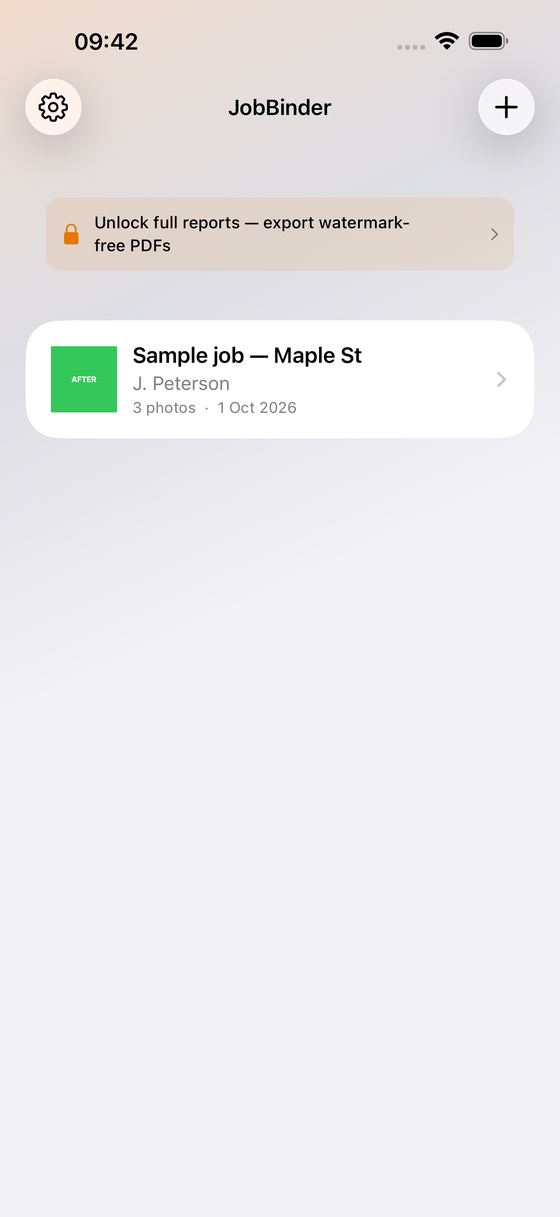
JobBinder turns the photos you already take on site into a report your client will actually read. Keep a folder per job, add before, during and after shots, write a line under each, and export a PDF with your own company header on top. Everything stays on your iPhone. No account, no cloud, no subscription.
What It Does
- A folder per job — client, address, notes and every photo in one place
- Shoot straight into a job with the camera, or bring photos in from your library; imported photos keep their original capture date when they carry one
- Mark every photo Before, During, After, Issue or Done, and give it a caption that prints on the report
- Re-stage or delete a photo straight from the grid with a long press — tagging a twenty-photo import stays quick
- Choose the shape of the report: one timeline, a section per stage, or before-and-after pairs side by side on the page
- 1, 2 or 4 photos per page, and leave out the stages your client doesn't need to see
- Fill in your business name, trade line, phone and email once — it heads every report you make
- Long notes flow onto extra pages instead of vanishing at the bottom of the first one
- See the finished PDF on screen before you send it, then share it by mail, message or any app on your iPhone
- Not sure yet? Load a sample job with three staged photos and read its report before you shoot anything — swipe it away when you're done
Why You'll Like It
- One-time purchase — no subscription, ever
- 100% on your device — your photos and job details are never uploaded
- No ads, no account, no sign-up
- Every photo carries its own timestamp, so the record still means something months later
For The Trade
Electricians, plumbers, painters, roofers, builders, tilers, cleaners, landscapers — anyone who has to show what a site looked like before, and what it looks like now. Made for handovers, extra work, damage reports and snag lists.
The app is free to use: unlimited jobs, unlimited photos, and the whole report as an on-screen preview with a PREVIEW watermark — so you see exactly what you would send before you pay anything. The one-time unlock removes the watermark and turns on exporting and sharing.
One thing to know: photos you add live inside JobBinder, so keep your originals in your camera roll.
Document the job while you work. Send the report before you leave the site.
Ideas, gripes, or something broken in JobBinder?
Tell us here; it goes straight to the people who build it. The more specific, the faster we can do something with it. For a problem, the iPhone model, the iOS version and the steps up to where it goes wrong are what let us reproduce it.
Or email info@kaliyuga-apps.nl. What you send goes to us and nowhere else; see the website privacy statement.