Kali Yuga › KinBinder

KinBinder
The one document your family needs when something happens to you.
iPhone: free to try, one-time unlock €8,99, no subscription
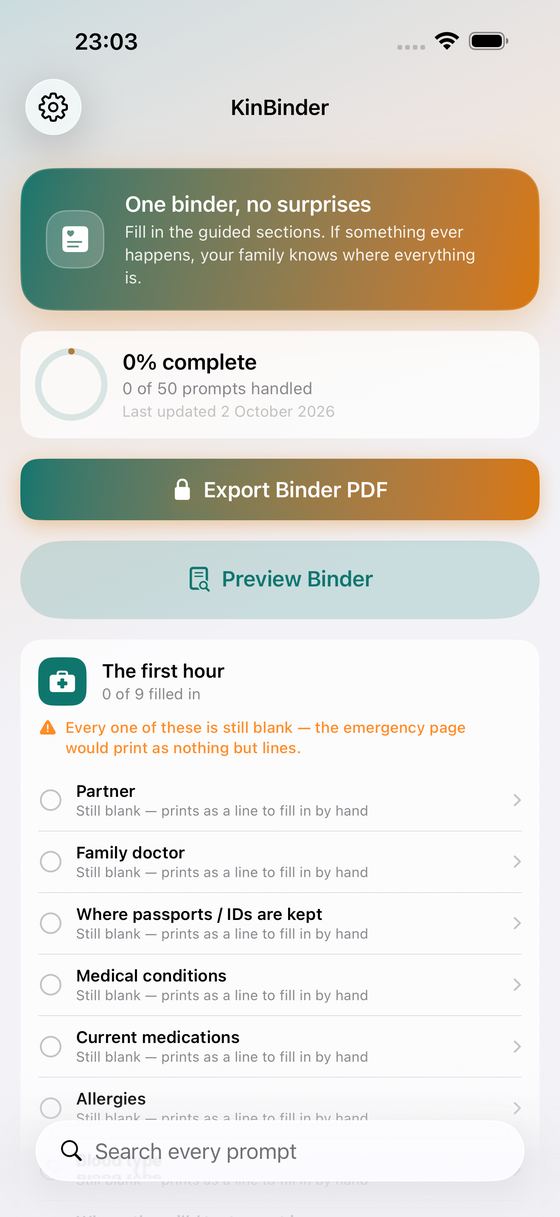
If something happened to you tomorrow, would your family know where the will is, which medicines you take, who insures the house, or who to call first? KinBinder walks you through it — eight guided sections, one prompt at a time — and turns your answers into a printed binder the people you love can pick up and use.
What It Does
- Eight guided sections with more than fifty ready-made prompts: emergency contacts, personal & family, medical basics, insurance, money & accounts, home & utilities, wishes & documents, pets & dependents
- Add prompts of your own, or mark a whole section "not applicable" in one tap if it doesn't fit your household
- Pin the time-critical answers to an "In Case of Emergency — At a Glance" page that opens the binder
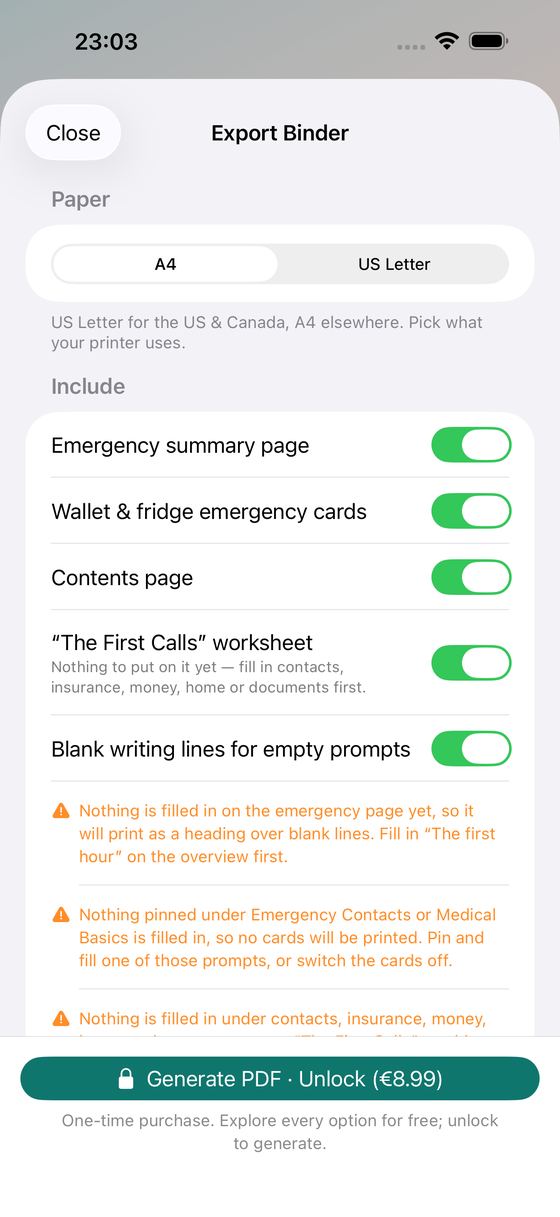
- Print “The First Calls” — a worksheet built from your own answers, listing everyone who will have to be phoned (insurers, banks, utilities, the places that hold the documents) with a line beside each one to tick off and write down who you spoke to
- Print a sheet of cut-out emergency cards — one for each person's wallet, plus one for the fridge door — carrying your pinned contacts and medical basics. Everyone in the household can have their own medical basics, and their own card with their name on it. Never where documents, keys or valuables are kept, and never a password
- Search every prompt at once, and see at a glance how far along you are
- Preview the finished binder page by page, for free, before you decide anything
- Generate the PDF on A4 or US Letter, with a contents page and blank writing lines for whatever you'd rather fill in by hand, then print, save or share it
- Back the whole binder up to a single file and restore it on a new iPhone — free, on your own device, through the share sheet and the file picker. No account, nothing in the cloud
Why You'll Like It
- One-time purchase — no subscription, no per-year renewal
- Everything stays on your iPhone: no account, no sign-up, no cloud, nothing uploaded
- No ads, no tracking
- Deliberately not a password manager: KinBinder records where things are, never the secrets themselves
What's Free, What's Paid
Filling in every section, adding your own prompts, pinning, searching, previewing the complete binder, and backing it up and restoring it on a new phone are free and unlimited. The one-time unlock generates the PDF so you can print it, save it or share it with the people who would need it.
The alternatives to this are a subscription service that keeps your family's most private information on someone else's server, or a printable template you fill in at a desktop. KinBinder is neither: you fill it in on the phone in your pocket, and the binder comes out of your own printer.
Do it once, on a quiet evening. Then put it somewhere your family knows.
Ideas, gripes, or something broken in KinBinder?
Tell us here; it goes straight to the people who build it. The more specific, the faster we can do something with it. For a problem, the iPhone model, the iOS version and the steps up to where it goes wrong are what let us reproduce it.
Or email info@kaliyuga-apps.nl. What you send goes to us and nowhere else; see the website privacy statement.