Kali Yuga › PlanTape

PlanTape
Measure distances and areas on a PDF floor plan, on site, without a laptop.
iPhone: free to try, one-time unlock €8,99, no subscription
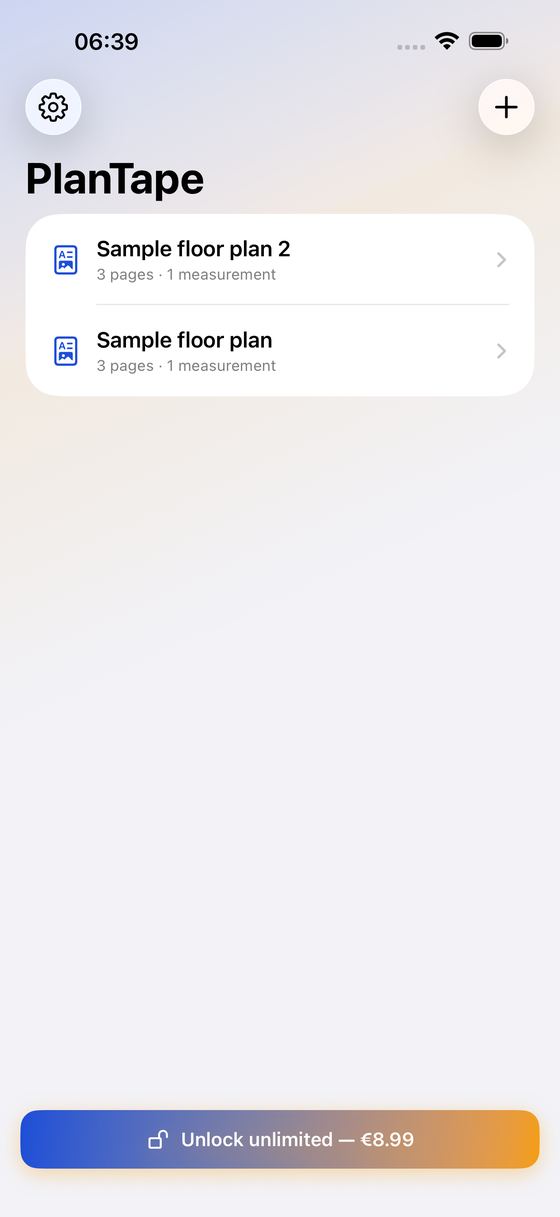
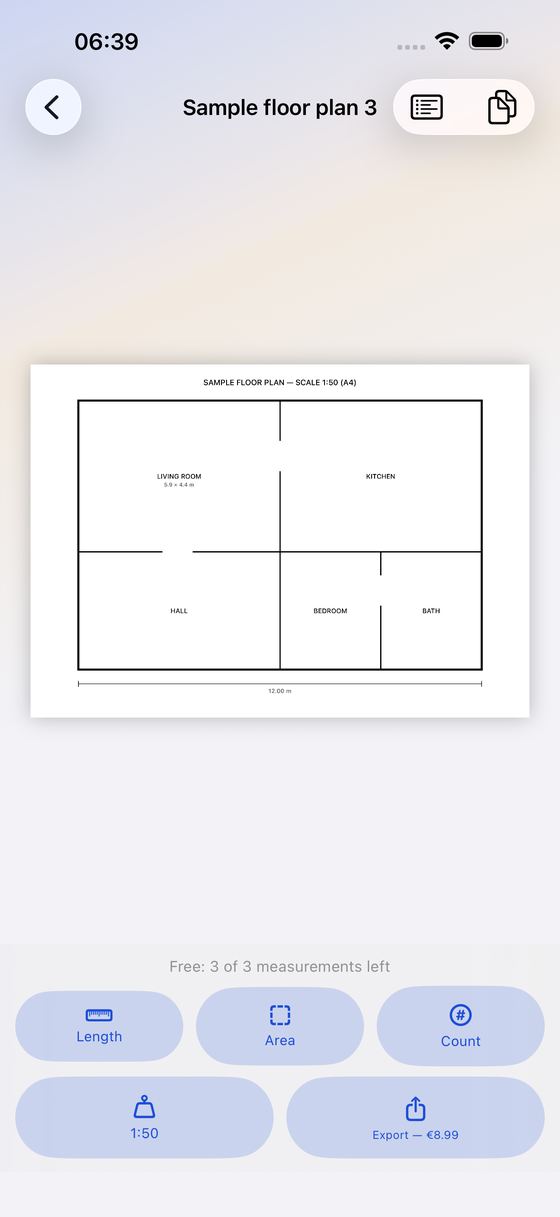
PlanTape turns your iPhone into a take-off tool. Open a PDF floor plan or construction drawing, set the scale once, then tap points to measure lengths, areas and counts. Export an annotated PDF and a CSV list. Everything stays on your iPhone — no account, no cloud, no subscription.
Set The Scale
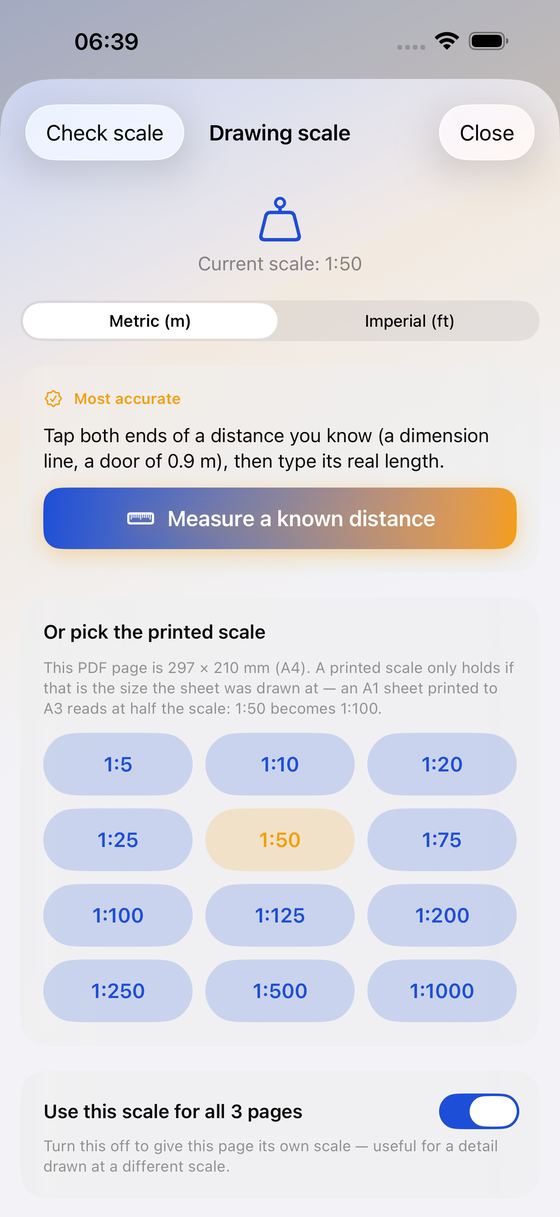
- Tap both ends of a distance you already know (a dimension line, a 0.9 m door) and type its real length — in metres, or the way an imperial drawing writes it: 12'6", 12'-6" or 12.5
- Or pick the scale the title block states: 1:5 to 1:1000, an architect's scale (1/4" = 1'-0", 1/8" = 1'-0", …) or an engineer's scale (1" = 20'). PlanTape names the sheet your PDF page is — 36 × 24 in, A1 — so you can tell a half-size set
- Check the scale: tap a dimension the drawing states and read it back. If the sheet says otherwise, correct the scale from the same two taps. Uses no measurement
- One scale for a whole multi-page set — or switch that off and give a detail sheet its own
- Rotated landscape sheets are measured as they are displayed
Measure By Tapping
- Length — tap along a run and watch the running value
- Area — tap the corners; you get both the area and the perimeter
- Count — tally doors, outlets or sprinkler heads. A count needs no scale at all, so you can start before you calibrate
- Snap puts a new point on an existing corner or on the nearest 45° axis; turn it off for an edge that is genuinely at an angle
- The nudge pad walks a placed point into position step by step
- Wall take-off — give a length run a height and a face count and it also becomes board, paint or tiling area: run × height × faces. Doors and windows come off every face, typed as a size and a quantity the way the door schedule gives them
- One ceiling height for the whole drawing — type it once and hand it to every wall run in one tap. A run with its own height is never overwritten
- Pour take-off — give an area a thickness and it also becomes a volume: area × thickness, net of anything cut out of it. Concrete, screed, insulation fill, topsoil — in m³, or in the cubic yards a supplier sells by
- Full-size sheets — 36 × 24 in, A1, A0 — open with the whole drawing on screen; pinch in to read a dimension
- Metric or imperial (m/cm and m², or feet-inches and ft²)
Totals And Export
- Rename every take-off and file it under a group: Flooring, Walls, Paint, …
- Running totals for the whole drawing, plus a subtotal per group, across every page
- Export an annotated PDF: your lines, areas and numbered count markers burned into the original pages, followed by a summary page with all values and totals
- Send only the sheets you measured; each keeps its number from the full set. On large sheets the summary goes on a Letter or A4 page you can print
- Waste allowance — add 5, 10, 15 or 20% and every length and area total also shows the quantity to ORDER, on screen, in the PDF and in the CSV, next to the measured number
- Export a CSV with name, group, type, page, value, unit and perimeter — ready for your spreadsheet
Why You'll Like It
- One-time purchase — no subscription, ever
- 100% on your device — your drawings are never uploaded
- No ads, no account, no sign-up
- A sample plan set is built in — three sheets, two of them drawn to scale — so you can try the whole flow, page switching included, without a file at hand
- Password-protected drawings open too: type the password once. It is not saved and nothing is uploaded
Good To Know
- PlanTape reads PDF drawings — not DWG or DXF
- You set the scale yourself; there is no automatic detection, and every value follows the scale you set
- Verify critical dimensions on site before you order or build
Most take-off apps put the essentials behind a monthly or yearly subscription. PlanTape is a single, fair one-time unlock. Import as many plans as you like, set the scale and make three measurements per drawing for free; the unlock removes that limit and turns on the PDF and CSV export.
Measure the plan. Not the subscription.
Ideas, gripes, or something broken in PlanTape?
Tell us here; it goes straight to the people who build it. The more specific, the faster we can do something with it. For a problem, the iPhone model, the iOS version and the steps up to where it goes wrong are what let us reproduce it.
Or email info@kaliyuga-apps.nl. What you send goes to us and nowhere else; see the website privacy statement.